
Let’s be honest: in PR, half the battle is making sure people actually look at what you’ve created. You can have the sharpest press release or the most thoughtful campaign strategy, but if your flyer looks like it was whipped up in Microsoft Paint circa 2002… people will scroll right past it.
That’s where design tools step in, and for me, two heavy-hitters lead the way: Adobe InDesign and Canva.
Image from Unsplash
While these tools may have the same function, helping us create polished, eye-catching designs, they couldn’t be more different in personality. Both get the job done but knowing when to use which can be the difference between a design that just looks nice and one that really lands with your audience.
InDesign: The Control Freak’s Dream
If you love precision, InDesign is your best friend. InDesign has a large range of resources and tools to use when looking to design your brand. However, some may struggle at first, being overwhelmed by the endless panels, buttons and options staring back at them.
The trick is to not treat InDesign like a monster you have to conquer in one sitting. Instead, take it piece by piece, learn the basics first then build up to the fancy features. Once you get the hang of it, you’ll realize those overwhelming tools are actually what give you total creative control.
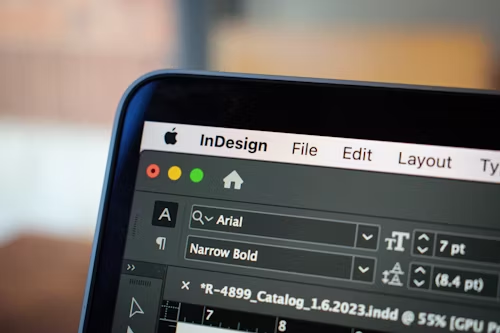
Image from Unsplash
Every little detail is in your hands, and that’s exactly what makes it so powerful. Plus, if you already dabble in Photoshop or Illustrator, InDesign plays nicely with its Adobe siblings. If you don’t have prior Adobe skills, there are tons of Youtube and Adobe tutorial videos online, like Learnit Training videos, that give great tips to beginning your InDesign journey.
Canva: InDesign’s Little Sibling
Now, Canva is a totally different vibe. Think quick, snappy and collaborative. Need an Instagram post in 15 minutes? Done. A flyer for tomorrow’s event? Easy. Canva’s drag-and-drop simplicity is what makes it so lovable. The templates are endless, the learning curve is practically nonexistent and the ability to share and edit with teammates in real time is a total game-changer.
Canva is perfect as a steppingstone as PR professionals start learning the basics of design. Canva even has a mobile app that you can use to edit on the go if you’re especially in a time crunch.
Image from Unsplash
The Part That Matters More Than the Tools: Storytelling and Strategy
At the end of the day, good design isn’t about the tool, it’s about the story you’re telling. Clean lines, consistent branding and a clear message will always beat flashy-but-confusing visuals. InDesign gives you polish, Canva gives you speed but strategy is what makes your design actually work.
It’s easy to get caught up in fonts and colors when getting into design. But without a story and strategy, your design means nothing to your audience.
So if you’re a PR practitioner like me, don’t think of InDesign and Canva as rivals. Think of them as your dream tag-team: one handles the big, serious projects, and the other keeps your day-to-day looking sharp.
